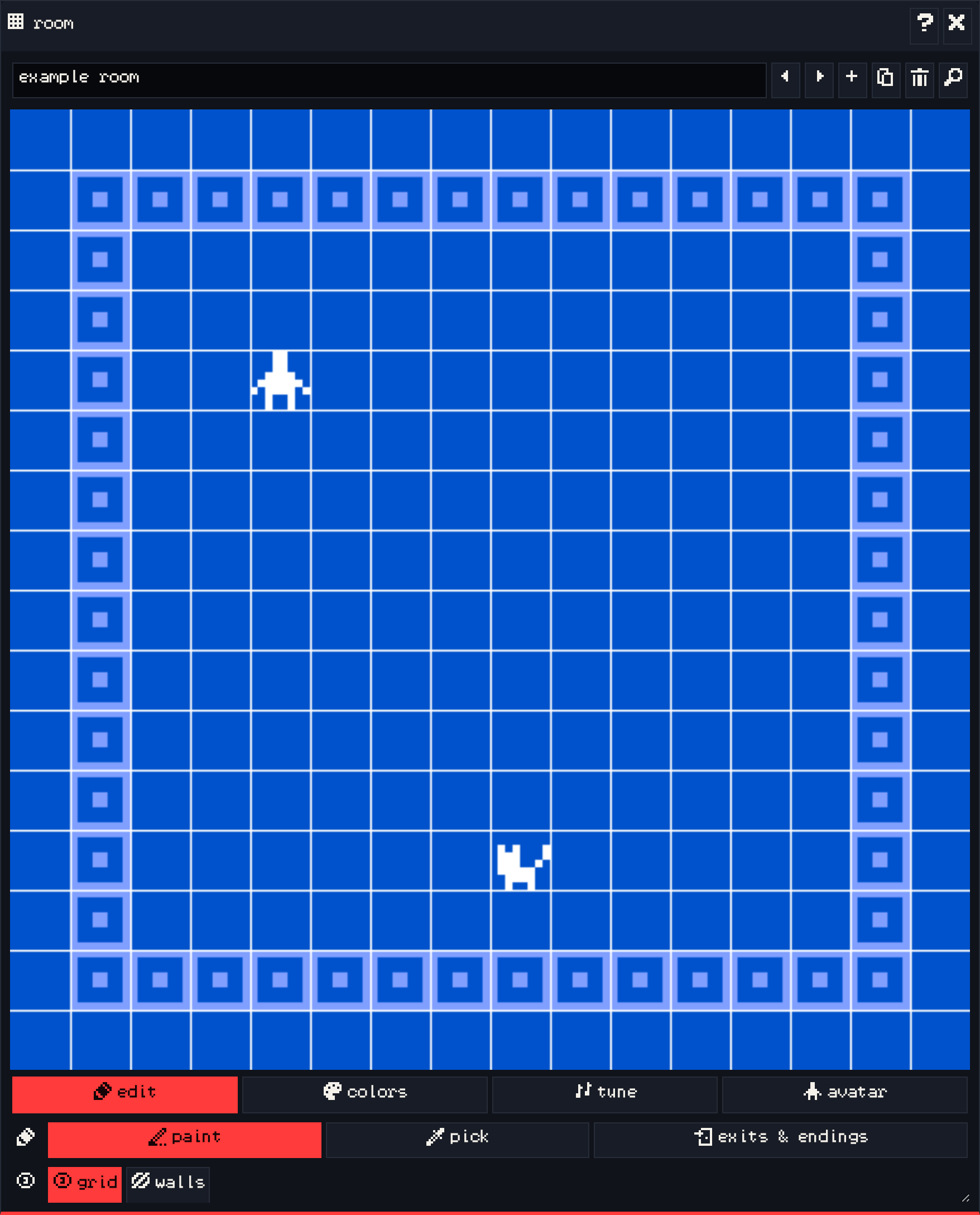
The room window is your game world. Each room is a 16×16 grid of 8×8 tiles, which is exactly the 128×128 screen of VGC Zero.
The room bar #
The text box at the top is the room’s name. The buttons next to it step to the previous and next room, add a room, duplicate the current one, delete it, and open find to jump to any room.
edit tab #
- paint: click a square to place the drawing selected in the paint window. Click it again to remove it.
- pick: click something in the room to select it in the paint window.
- exits & endings: select and move the exits and endings in this room. See exits & endings.
- grid and walls: show the tile grid, and highlight tiles marked as walls.
Placing the avatar moves it; the room it is in is where the game starts. A sprite can only be in one place in the whole game, so placing it again moves it. Items and tiles can be placed as often as you like.
colors tab #
Pick the color palette this room uses. Palettes are edited in the colors window.
tune tab #
Pick the background music that plays in this room, or none. Tunes are made in the tune window.
avatar tab #
Pick a different drawing for the avatar while it is in this room, for example a swimming avatar in a water room.
See also: Rooms.