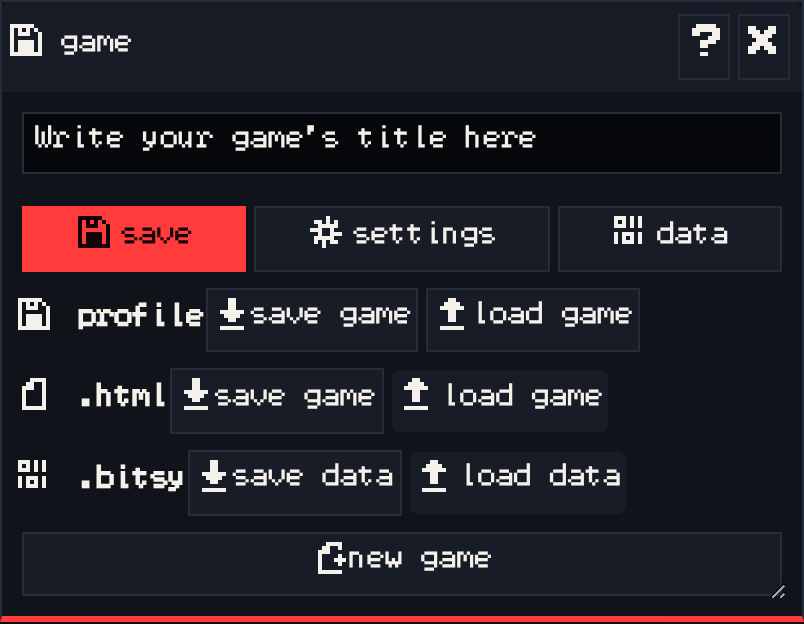
The game window holds everything about the game as a whole. The text box at the top is the game’s title, the first thing the player sees when the game starts. Below it are three tabs.
save #
| Row | Buttons | What they do |
|---|---|---|
| profile | save game, load game | Save to your Chili account, or open another game saved there. Changes also save to your account automatically. |
| .html | save game, load game | Download the game as a web page anyone can open in a browser, or open such a file. |
| .bitsy | save data, load data | Download the game as a plain text .bitsy file, or open one. This is the file VGC Zero plays. |
new game resets everything and starts an empty game. Save or download first if you want to keep what you have.
load data also opens .bitsy files made in the standard Bitsy editor at bitsy.org.
settings #
- tool settings: the editor’s language, and whether font data shows in the data tab.
- game settings: the font (ASCII Small, Unicode European Small or Large, Unicode Asian, Arabic, or a custom
.bitsyfont), text direction (left to right or right to left), and text mode: default draws text at 2× pixel size, chunky at 1×. - export settings: the page color and size used when you save as
.html.
data #
The raw text of your game in the .bitsy format. You can edit it directly, but be careful: a mistake here can break the game. Download a .bitsy backup first.