Items are things the avatar picks up by walking over them: keys, flowers, coins, cups of tea. A picked-up item disappears from the room and is added to the player’s inventory.
Add an item #
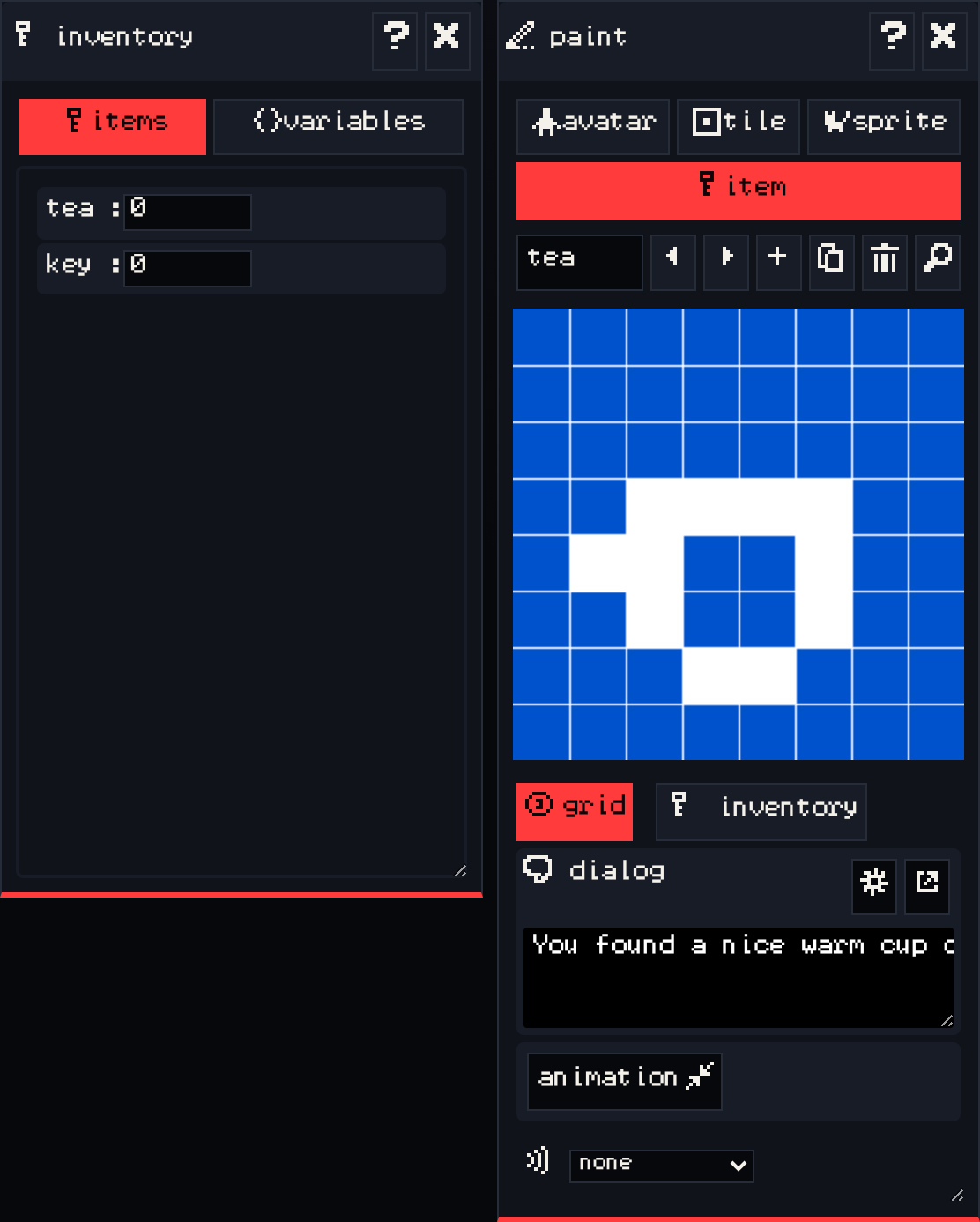
- In the paint window, choose item.
- Draw it, or press add to make a new one, and give it a name like
key. - In the room window, click to place it. Unlike sprites, you can place the same item as many times as you like, in any room.
The pick-up message #
An item has dialog too: it is shown when the avatar picks it up. Select the item in the paint window and write something in the dialog window, like “You found a rusty key.”
The inventory #
The inventory window has two tabs:
- items shows how many of each item the player has. While editing, these are the counts the player starts with. While playing, they update live, which helps when you test.
- variables holds named values your dialog can read and change. See Dialogue.
Use items in your game #
Items do nothing on their own. They become useful when dialog or endings check them:
- A guard who only lets you pass when you have a
key. - A sprite who says something different once you have collected three
floweritems. - An ending that only triggers when you carry the
treasure.
The next two guides show how: conditions in Dialogue, and locked exits and endings in Exits and endings.