This section covers the graphics capabilities and API of the Game SDK for VGC Zero, focusing on text rendering. It includes information on how to draw text, manage fonts, and utilize text-related features available to developers.
Fonts #
The 32blit engine supplies functions for drawing text to any surface using built-in fonts or TTF/image fonts processed via the asset pipeline.
Built-in fonts #
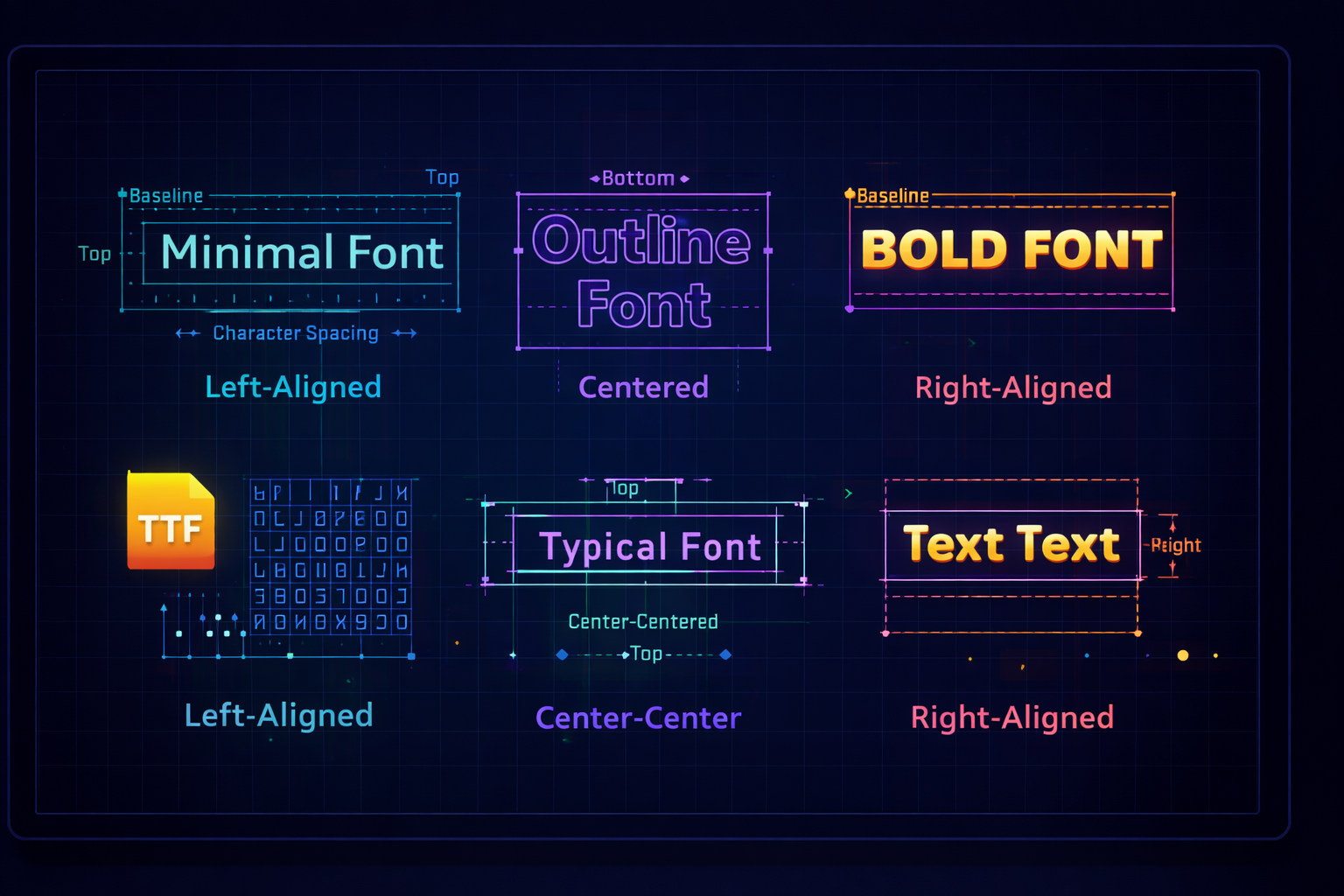
Three built-in fonts are available out of the box:
- Minimal Font:
minimal_font - Outline Font:
outline_font - Fat Font:
fat_font
Custom fonts #
Custom fonts can be added with the 32blit asset pipeline. TTF files are recognized and converted automatically. GIF and PNG images are also supported and should define individual characters in a single row with regular spacing.
TTF fonts #
Define the font in assets.yml and set the desired height (bitmap is baked to this size):
font_asset.cpp:
	PressStart2P-Regular.ttf:
		name: custom_font_data
		height: 8
This tells the builder to produce font_asset.cpp/font_asset.hpp containing custom_font_data rendered at 8 px height.
PNG/GIF fonts #
Bitmap fonts are transformed from a single-row image containing regularly spaced characters. Width per character is image_width / num_chars; height is the image height. Images usually contain 96 characters (! through ~), but this is configurable. Optional settings: space_width (defaults to 3 px) and vertical_spacing for line gaps. Variable width is inferred by scanning filled pixels.
Example assets.yml:
font_asset.cpp:
	12x8font.png:
		name: custom_font_data
		type: font/image
		vertical_spacing: 0
		space_width: 4
Using custom fonts #
After asset build, include and construct the Font:
#include "font_asset.hpp"

const Font custom_font(custom_font_data);
Use the custom font when drawing text:
std::string text = "This text uses\nan imported\nTrueType font.";
screen.text(text, custom_font, Point(0, 0), true);Add the asset build step to CMake: blit_assets_yaml(text assets.yml).
Drawing text #
Two overloads render text: one constrained to a Rect (with wrapping/alignment) and one starting from a Point.
Text in a rectangle #
Wrap and align text within a bounding box.
void text(std::string_view message, const Font &font, const Rect &r, bool variable = true, TextAlign align = TextAlign::top_left);
Rect text_rect(10, 10, 100, 40);
bool variable_width = true;
screen.text("Hello world", minimal_font, text_rect, variable_width, TextAlign::center_center);
Text at a point #
Draw text anchored at a point (top-left by default); alignment offsets relative to that point.
void text(std::string_view message, const Font &font, const Point &p, bool variable = true, TextAlign align = TextAlign::top_left);
screen.text("Score: 42", minimal_font, Point(10, 80));Rect/Point position #
Using a Rect defines a container with explicit edges. Alignment is resolved against that box. A Point defines an origin; for example, right-aligned text draws to the left of the point.
Fixed vs variable width #
- Fixed width: every character is the same width (useful for HUD counters where width must be predictable).
- Variable width: improves readability when text can flow or wrap.
Alignment #
Alignment is set via the fifth argument to screen.text using TextAlign flags. Common options:
- Horizontal:
TextAlign::left,TextAlign::center_h,TextAlign::right - Vertical:
TextAlign::top,TextAlign::center_v,TextAlign::bottom - Shorthands:
top_left,center_left,bottom_left,top_center,center_center,bottom_center,top_right,center_right,bottom_right
Example:
screen.text(text, minimal_font, text_rect, variable_width, TextAlign::center_center);Masking/Clipping #
Text obeys the current clip rectangle. Set screen.clip to confine rendering.
Other text functions #
Get text size #
Measure text before drawing to help with layout.
Size measure_text(std::string_view message, const Font &font, bool variable = true);
Size size = screen.measure_text("Hello", minimal_font); // size.w and size.h in pixels
Wrap text #
Wrap text to a width (optionally at word boundaries) before drawing.
std::string wrap_text(std::string_view message, int32_t width, const Font &font, bool variable = true, bool words = true);
std::string wrapped = screen.wrap_text(
		"This is a long line that needs wrapping.",
		120,
		minimal_font,
		true,
		true
);
screen.text(wrapped, minimal_font, Rect(10, 120, 120, 80));